

The five most common CAD rendering pitfalls we see are: (1) treating CAD files as engineering assets instead of business assets, (2) using generic materials and lighting, (3) showing only one viewing angle, (4) ignoring the end user, and (5) producing content for launch and nothing after. Addressing these pitfalls helps manufacturers get more value from their CAD investment by creating visuals that support sales, improve product understanding, and generate value throughout the product lifecycle.
Every manufacturer invests significant time and resources developing accurate engineering CAD models. Yet many organizations only use those models for design and manufacturing. As a result, they miss opportunities to accelerate product launches, improve customer understanding, and create marketing, sales, and training content from the same engineering assets.
Over the past 30 years, we’ve seen that even highly capable engineering teams may have overlooked opportunities in their CAD workflows. In many cases, the solution isn’t a major overhaul but minor changes to their process, allowing them to get much more value from the CAD models they’re already creating.
Here are five of the most common CAD rendering pitfalls we see and how leading manufacturers are getting more value from the assets they already have.
Where These Challenges Usually Appear
Interestingly, these challenges rarely stem from poor engineering or weak product development. In fact, we most often see them inside companies with excellent engineering teams and mature product development processes.
The challenge isn’t the CAD itself. It’s usually what happens after engineering signs off. Marketing, sales, service, and training teams often aren’t connected to the engineering workflow, leaving valuable CAD assets underutilized.
We’ve worked with companies that maintain incredibly detailed SolidWorks assemblies spanning decades of product development. Yet when it’s time to prepare for a launch, create a product catalog, or support a trade show, teams frequently find themselves recreating content that already exists inside their engineering data.
With the right visualization strategy, those same CAD models become the foundation for renderings, animations, interactive experiences, technical documentation, and training content that support the entire product lifecycle.
Common Pitfall #1: Treating CAD files as Engineering Assets Instead of Business Assets
Many organizations still view CAD as an engineering deliverable rather than a business asset. Once production is approved, those files often remain inside engineering systems even though they contain everything needed to support marketing, sales, customer training, technical documentation, and product launches.
Why It Matters:
When CAD files never leave the engineering department, manufacturers miss opportunities to use them for engineering reviews, presentations, product catalogs, trade show graphics, and even sales collateral. Instead of getting maximum value from existing CAD data, teams spend time recreating or working around missing visuals.
What To Do Instead
Think of CAD rendering for industrial equipment as a business asset. It transforms engineering models into visuals that support multiple teams throughout the product lifecycle. Create a workflow where approved CAD files are shared with a technical visualization partner as soon as engineering signs off.
The best technical agencies don’t need a finished product to start working. They need accurate CAD. If the model is detailed enough for production, it’s detailed enough for photo-realistic rendering.
Common Pitfall #2: Using Generic Materials and Lighting
Industrial equipment is built from specific materials, finishes, and coatings that each interact with light differently. Stainless steel, anodized aluminum, powder-coated surfaces, plastics, rubber, and glass all have unique visual properties. If every surface looks like generic gray metal, the rendering loses credibility.
Photorealistic rendering isn’t about making products look flashy; it’s about representing them accurately. When finishes, lighting, and materials accurately reflect the real thing, customers gain confidence before ever seeing the physical product.
Why It Matters:
Generic materials and poor lighting can make products appear lower quality than they are. It can also obscure key design features, resulting in reduced confidence among customers and stakeholders. Getting this right builds confidence with customers and stakeholders and strengthens the impact of every piece of marketing that follows.
What To Do Instead:
Instead of applying generic shaders, develop rendering standards that mirror your actual bill of materials. Material libraries should reflect production finishes, while lighting setups should be tailored to the visualization’s purpose. It could be highlighting serviceability, validating clearances, showcasing surface finishes, or demonstrating assembly sequences. The final output should answer the same questions asked when someone examines the physical equipment.
Common Pitfall #3 Showing Only One View Angle
Industrial equipment is designed to be understood as a complete system, and you cannot do that from a single perspective. One static image rarely provides enough information for engineers, buyers, or maintenance teams to evaluate how equipment is assembled, installed, or operated.
What It Costs:
Limiting your visuals to one angle leaves important questions unanswered. It may fall short in helping people understand component relationships, service access, installation requirements, or the overall scale of the equipment. This often leads to longer review cycles, additional clarification requests, and missed opportunities to showcase the full value of the design.
What To Do Instead:
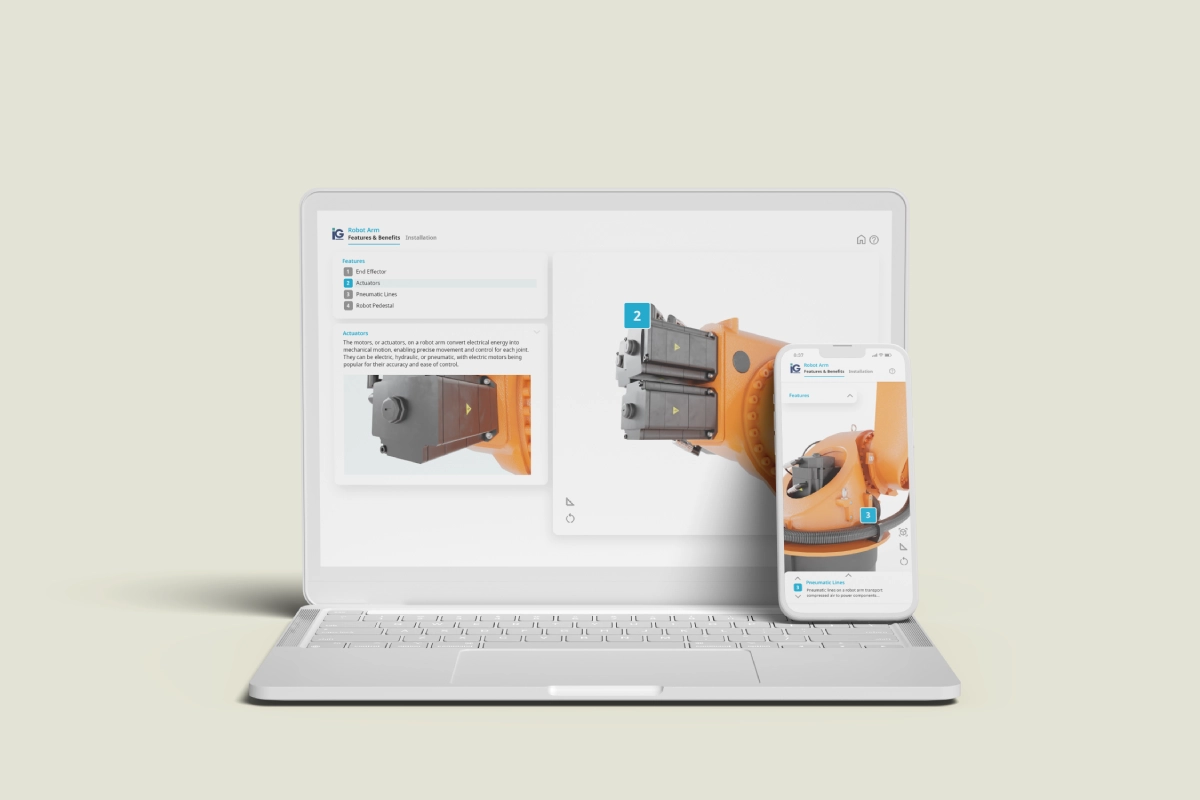
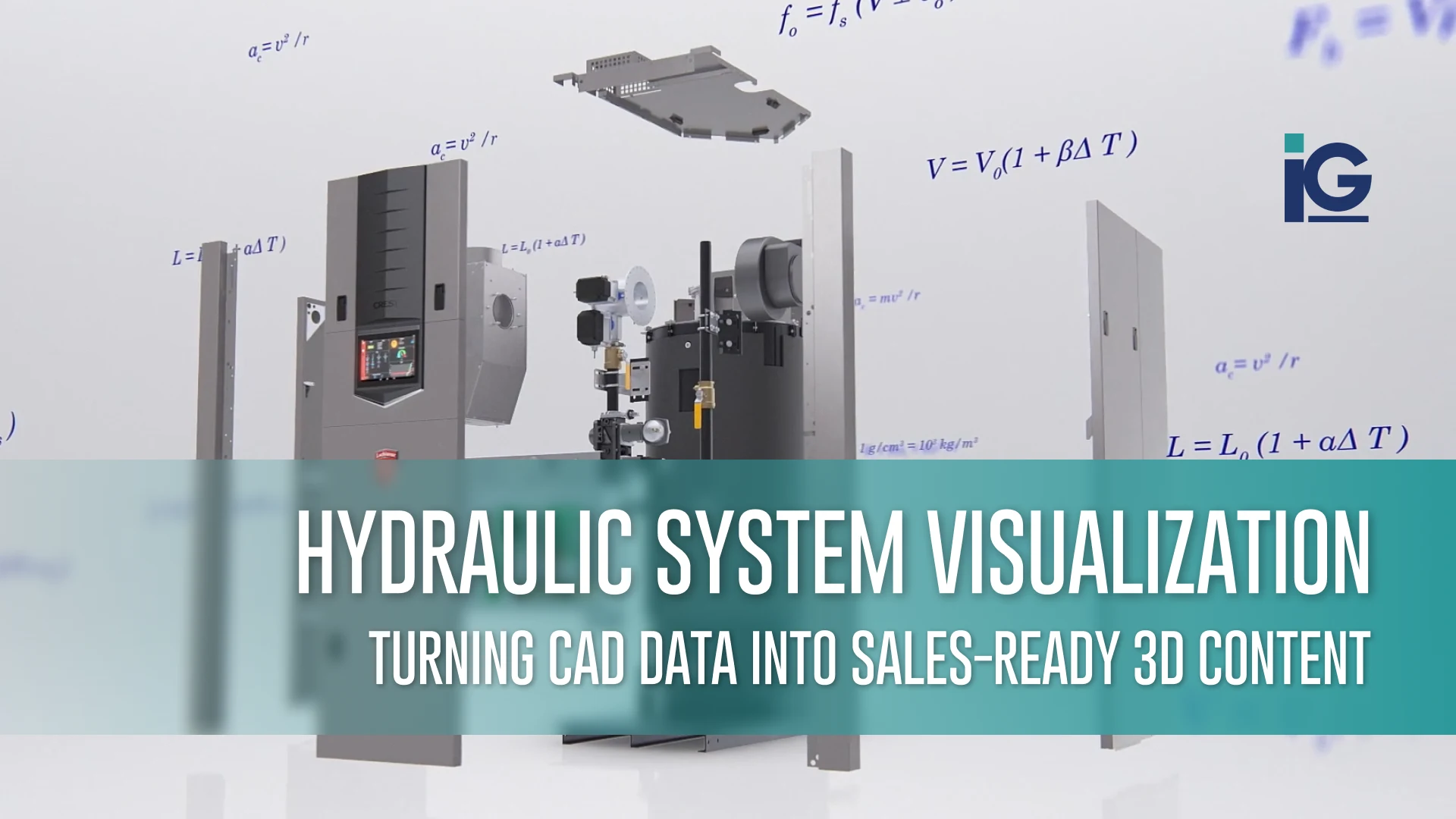
Think beyond creating a single “hero” image. Build a library of visual assets that includes multiple viewing angles, exploded assemblies, close-up component details, cross-sectional views, and contextual scenes. This allows the same CAD model to support engineering reviews, customer approvals, technical documentation, and marketing efforts.
The same CAD model can support dozens of deliverables—not just hero images, but installation guides, animations, interactive viewers, service documentation, training, and future product updates.
Our work with 3D Model Pro shows what this looks like in practice. It’s a 3D model viewer that allows consumers to examine a product from every angle — spinning, zooming, and flipping through details as if it’s sitting right in front of them.
Common Pitfall #4: Ignoring the End User
The people reviewing your renderings aren’t always engineers. Procurement teams, executives, distributors, investors, and customers often rely on visualizations to understand what a product does and why it matters. Even if the render is technically accurate, it can still fail if it assumes the viewer has engineering knowledge.
Effective technical communication begins with understanding the audience. Engineers, procurement teams, distributors, installers, and executives all need different levels of detail. The most successful visualization strategies create purpose-built assets that help every audience quickly understand what matters most.
Why It Matters:
When renderings are designed with the audience in mind, stakeholders move through approvals faster and with more confidence. This also means sales presentations are more likely to land clearly and complex equipment becomes easier for everyone to evaluate.
What To Do Instead:
Start by identifying who the rendering is for and what decisions they need to make. An engineering review may require exploded assemblies and dimensional accuracy, while a sales presentation benefits from contextual scenes that show the equipment in operation.
The most effective rendering workflows create multiple purpose-built visual assets for different audiences. At Info-Graphics, we approach CAD rendering as part of a broader product communication strategy. Every asset has a defined audience, a specific decision to support, and a channel it’s built for.
Common Pitfall #5: Producing Content for Launch and Nothing After
Many organizations think of rendering as a product launch activity. In reality, launch is only the beginning. The same CAD assets can continue supporting installation, maintenance, service, training, product updates, sales enablement, customer support, and future marketing initiatives throughout the product’s lifecycle.
Yet most teams treat rendering as a one-and-done project: a burst of visual content around launch, then the CAD-derived assets get archived. Most of the time, it’s kept in a format only the original vendor can open or reuse. By the time someone needs a visual, whether it’s a service technician six months later or a sales rep eighteen months later, the work starts from scratch. That means: new scope, new invoice, and new timeline for content that’s largely identical to something that already exists.
Why it Matters:
Every time a team recreates visuals for a service manual, sales presentation, training program, or product update, they’re spending time and budget on work that has already been done. When rendering is scoped only for launch, teams miss the opportunity to build a visual asset library that can be reused across departments and over the product’s full life cycle.
Building a content engine from your CAD files enables engineering, marketing, sales, and service teams to work from a single, accurate source. It also means installers, service technicians, and distributors all have the clear, consistent materials they need at every stage—not just at launch.
What To Do Instead:
Plan your rendering strategy around the entire product lifecycle. A single production-ready CAD model can generate a wide range of visual assets. Scoping the work this way up front may cost a little more than a launch-only project, but it multiplies the return on every dollar spent modeling and rendering.
At Info-Graphics, we help manufacturers unlock the full value of their CAD data by building reusable visualization libraries rather than one-time deliverables. This gives engineering, sales, service, and marketing teams access to high-quality assets that evolve alongside the product. We’re committed to helping you reduce duplicate work while improving communication at every stage of the customer journey. Our process is built on the goal of turning a single CAD investment into content that keeps working long after launch.
Five Questions to Audit Your Current Workflow
Even manufacturers with mature engineering teams can overlook opportunities to get more value from their CAD models. If you’re unsure whether your current workflow is supporting every stage of the product lifecycle, these five questions can help identify where improvements may be needed.
1. How quickly can you turn a new CAD model into customer-ready visual?
If creating marketing, sales, or technical assets takes weeks, your workflow may be slowing down your own product launches and internal collaboration.
2. Are your engineering, marketing, and sales teams working from the same source?
Disconnected teams often rely on different versions of product visuals, leading to inconsistent images, messaging, and outdated materials.
3. Can your visual assets support every stage of the customer journey?
Your product visuals should do more than support a product launch. Consider whether you also have the visuals needed for customer approvals, installation guides, service documentation, training, and ongoing product updates.
4. How often do you recreate visual assets from scratch?
If every brochure, website update, or product revision requires a new rendering project, you’re likely spending more time and budget than necessary.
5. How many content assets are you generating from every CAD model?
Every production-ready CAD model contains information that can be repurposed into animation, technical illustrations, and interactive content. If those assets are only being used by engineering, you’re leaving value on the table.
If these questions revealed gaps in your workflow, your CAD models may have the potential to do far more than support manufacturing. With the right visualization strategy, they can become a shared business asset that improves communication across engineering, sales, marketing, service, and customer support.
About Info-Graphics
For more than 30 years, Info-Graphics has partnered with engineering, product development, and marketing teams to transform complex products into compelling visual content. We help manufacturers get more value from their existing engineering assets by turning CAD models into photorealistic renderings, product launch videos, interactive experiences, installation instructions, training content, and technical illustrations.
Our goal isn’t simply to create beautiful visuals—it’s to help companies launch products faster, communicate more clearly, improve customer experiences, and maximize the return on every engineering investment.
Ready to make your CAD models work harder? Connect with Info-Graphics today to unlock the full potential of your CAD data.
Frequently Asked Questions
1. How many visual assets can you produce from a single CAD model?
A single production-ready CAD model can generate dozens of distinct content assets. It can range from static hero renders, white-background e-commerce images, lifestyle scenes, exploded assembly views, cutaway renders, close-up component details, animated product videos, interactive 360° viewers, installation illustrations, and training visuals.
2. Can CAD rendering replace product photography for industrial equipment?
For most industrial applications, yes, and in several ways, it outperforms photography. CAD rendering shows internal components, assembly sequences, and tolerances that a camera physically cannot capture. Photography still has a role in lifestyle contexts, but for technical content, marketing visuals, and instructional materials, rendering from CAD is faster, more accurate, and more flexible. See how Info-graphics approaches this in practice.
3. How long does it take to produce renders from a CAD file?
Simple static renders from a clean, detailed CAD model can be produced in days. A full visual library (multiple angles, exploded views, cutaways, an animated overview, and interactive content) typically takes several weeks to produce.
4. What CAD file formats can be used for product rendering?
Most industry-standard formats work: SolidWorks (.SLDPRT, .SLDASM), CATIA, Creo, AutoCAD (.DWG, .DXF), STEP (.STP), IGES (.IGS), and OBJ. STEP and IGES. However, output quality depends less on the file format and more on the model’s level of detail.
5. What’s the difference between CAD rendering and 3D animation?
CAD rendering produces still images like photo-realistic snapshots from a defined angle, environment, and lighting setup. On the other hand, 3D animation uses the same model to create motion from assembly sequences, product demos, feature highlights, or explainer videos. Both start from the same CAD data and can be produced in the same production run.





Leave A Comment